
Product Update · November 6, 2026 · 6 min read
Big Changes to the Creator Studio
We've introduced some significant changes to the Creator Studio: an improved interface, more payout options, reviews, an improved listing editor, and more.
In this article
Hey there creators!
When we launched DaVinci Market, the Creator Studio held one simple goal: to make it easy for creators to manage their (and create new) listings, make changes, view analytics, and manage releases. This goal (and the Creator Studio as a whole) has since evolved. Our latest changes to the Creator Studio have introduced a new (and more intuitive) interface, several new tabs, and an overall improved experience for creators to manage and monitor their listings, gather feedback and reviews, and so much more.
Here are some highlights from our latest updates to the Creator Studio:
A new interface
The Creator Studio portal has been updated to include several new or improved pages, including dedicated "Reviews," "Licenses," and "Integrations." Every other page has also been improved with a cleaner interface, easier-to-use options, and messy "helpful-for-developers" text hidden by default.
Dashboard
The new Dashboard page includes helpful charts to track downloads and purchases within periods of time, and quickly view relevant information relating to your store. If you have not yet chosen a platform to receive Payouts, you'll also see a ribbon at the top of the dashboard reminding you to finish setting them up.
Listings
The Listings page - like before - includes all of the listings shown on your storefront, organized by status ("Live," "Draft," or "Archived") . The "More options" button has been updated to allow you to quickly download the new release from any platform, manage your versions, edit your listing, and more.
Sales
The Sales page now allows you to view all details relating to sales you've made, on one page. This includes your average sale amount, recent products that have been purchased/downloaded, and more.
Reviews
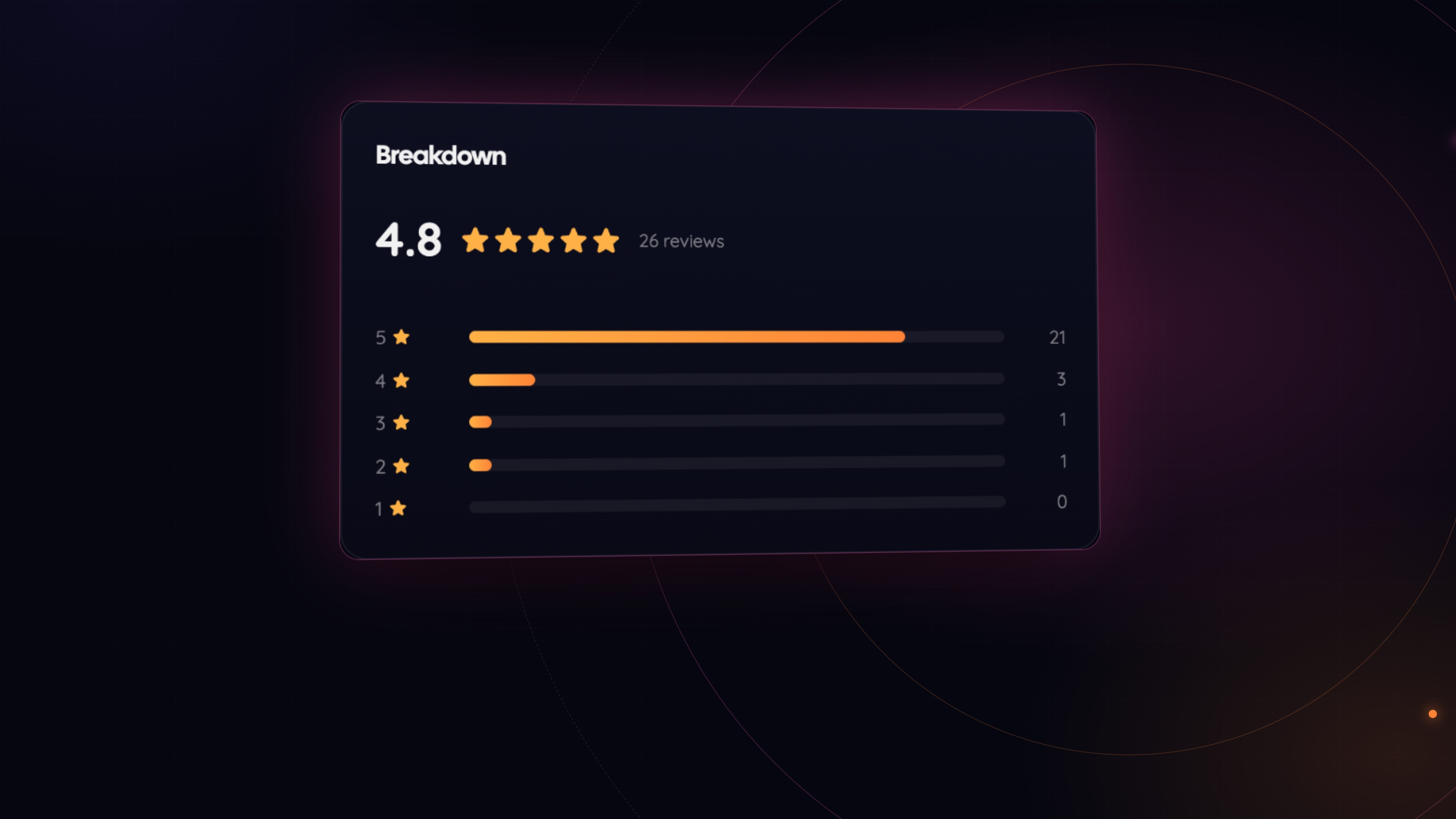
The Reviews page lets you see monitor reviews across your store and listings, and see feedback left by buyers.
Licenses
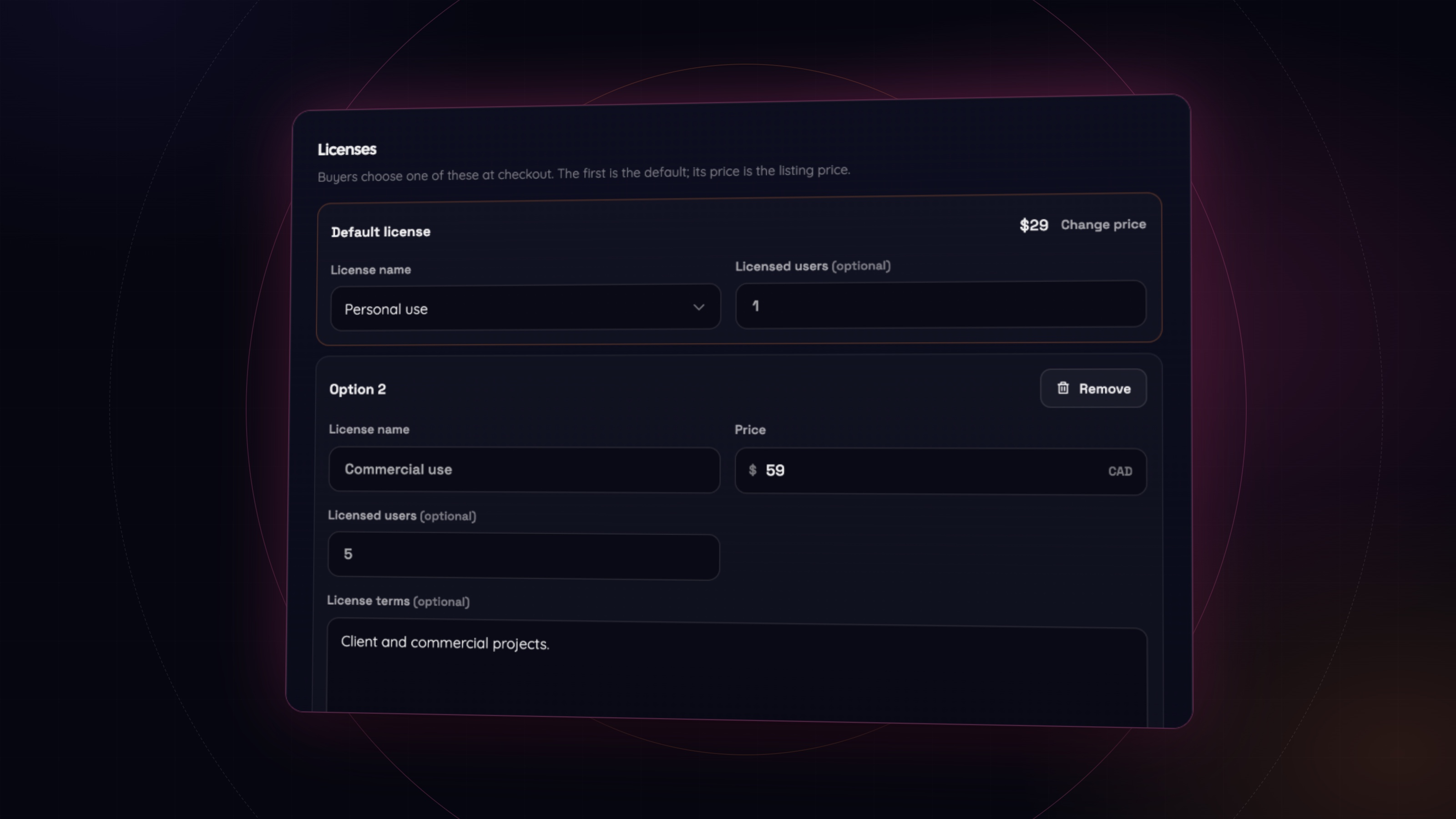
Licenses - which were previously managed in a small section of the Listing Editor - now have their own page, allowing you to view and manage licenses across your listings, add new licenses (with coverage for different terms, different prices, and more options), and generate EULA drafts based on our provided DaVinci Market-licensed template.
Payouts
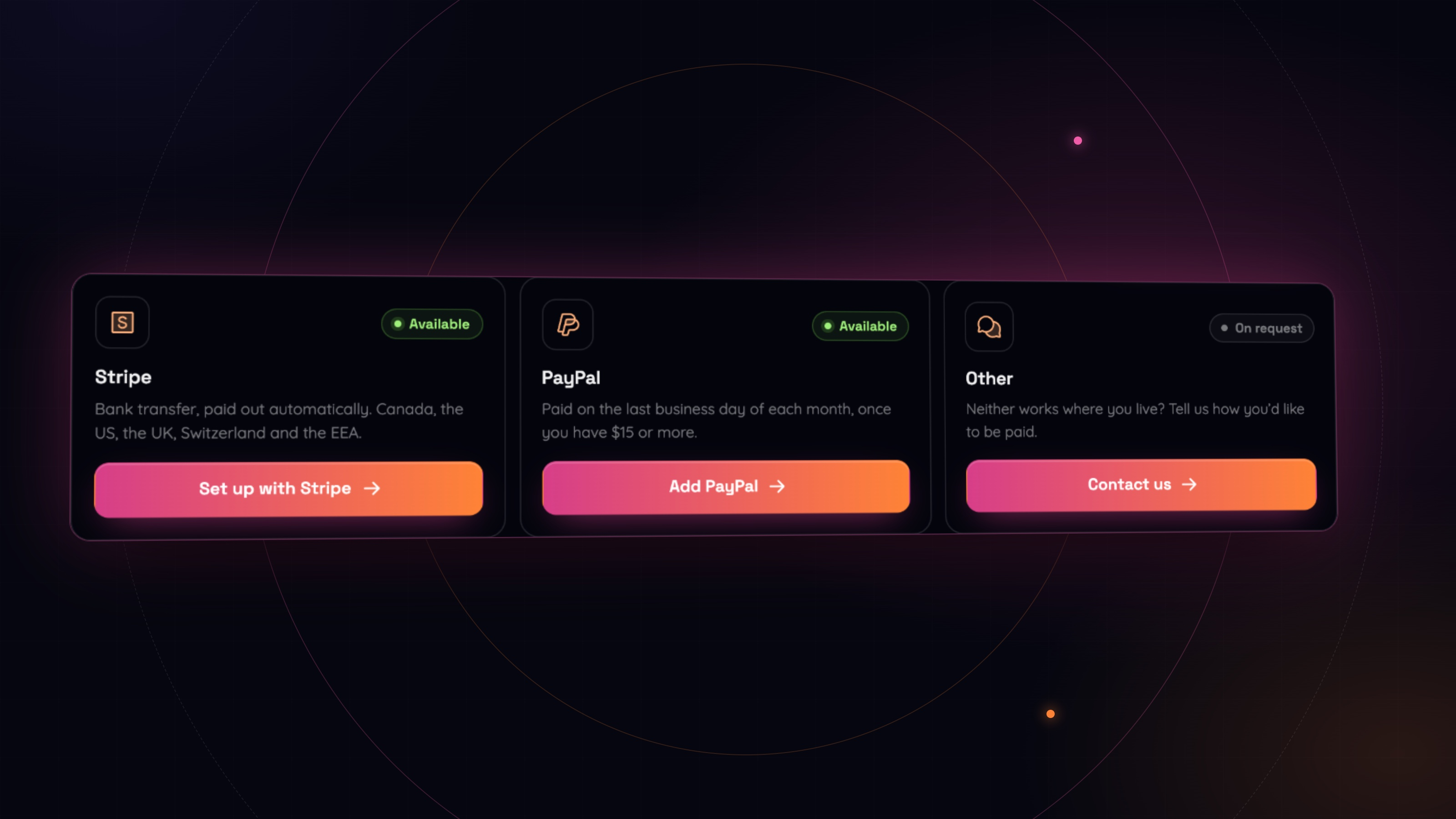
The Payouts page now includes your Earnings by Order and Payout History, and allow you to configure payouts via a new, dedicated page that includes our new "Payout Finder" tool, PayPal support, and custom payout platform requests.
Our Payout Finder tool allows you to search by country or territory and see which payout options will work for you. Stripe Payouts - which was previously our only supported payout method - supports 34 countries. We've since added support for PayPal payouts, allowing you to input and confirm your PayPal email address for monthly payouts on the last business day of the month (applicable once your store hits $15 in earnings), that adds an additional 59 supported countries. Additionally, accepted on a case-by-case basis, we've also added the ability to request custom payout platforms, to ensure that DaVinci Market is kept accessible for creators all around the world.
DaVinci Market has users and creators based all around the globe, and we place importance in ensuring that our platform remains accessible for all - and that creators are able to receive their earnings through platforms or means that are optimal for them.
Integrations
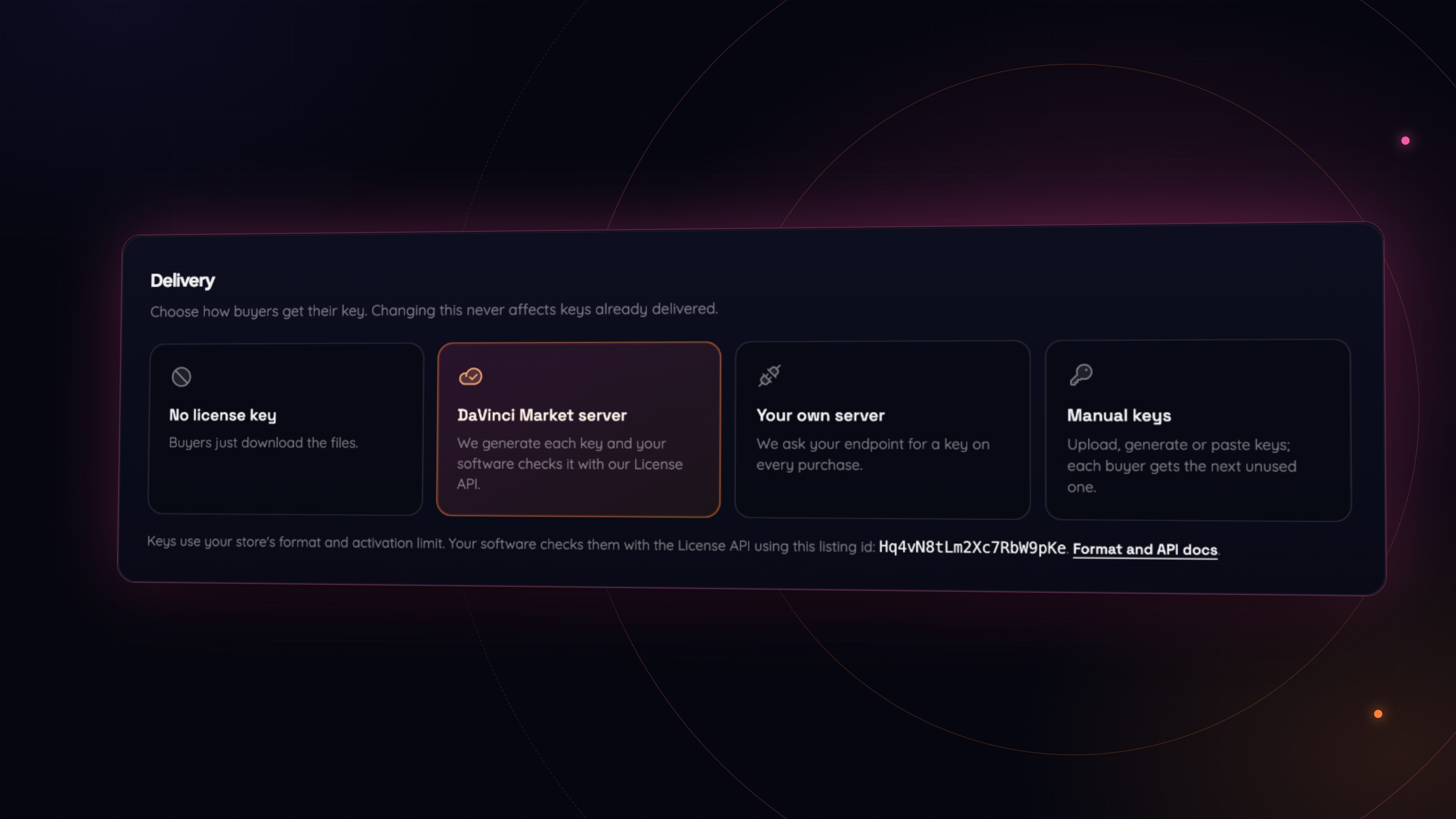
Probably the most exciting addition to the Creator Studio is the new Integrations page, that allows you (or your development team) to access and utilize cool (and useful) integrations that DaVinci Market now supports: Embeds & Iframes, Webhooks, Data hooks, License keys (managed from the DaVinci Market server, your own server or manually), and Alerts.
Note: Alerts currently supports Discord and Slack via webhooks, and can send messages for new paid sales, free downloads, and refunds.
Storefront
Your Storefront page now allows you to click (and view) your linked store social channels via the preview, choose your store currency (which is used to show native listing prices, and help us know what currency you'd like to receive payouts in).
Get real reviews & feedback
In addition to the newly added "Reviews" page, we've made it simple for buyers to rate your products and provide real feedback.
Seven days after downloading your product, buyers receive an email asking them to leave your product a review, at which point they can also send you some feedback (that only you can see, via the "Reviews" page in the Creator Studio).
Once your listing has its first review, its DaVinci Market listing page is updated to show the rating (out of 5 stars), and how many ratings it has.
Note: users that have opted out of Review email notifications, will not be reminded to leave your products a review.
Creator Coupons
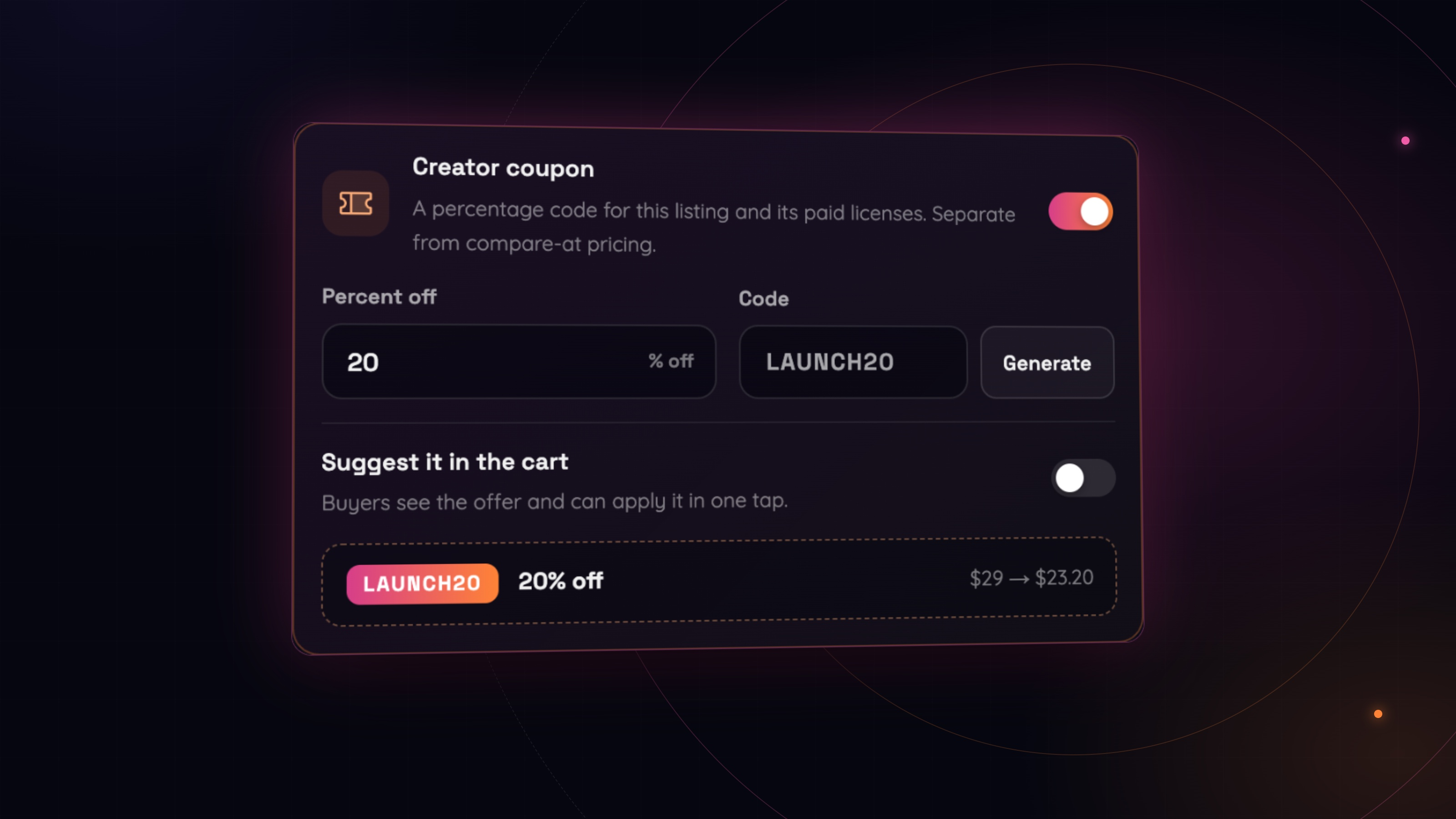
You can now offer your own discount code on any listing. Under Pricing, turn on Creator coupon and choose a discount between 1% and 90%. We'll suggest a code for you, or you can write your own (3–24 letters, numbers or dashes). The coupon applies to the listing and all of its paid licenses.
To help buyers notice it, turn on Suggest it in the cart. Buyers will see your offer at checkout and can apply it in one tap. Leave it off to keep the code for your own audience, such as your newsletter, YouTube channel or Discord.
Coupons are separate from compare-at pricing, so you can run a sale and a coupon at the same time. A listing needs at least one paid license to offer a coupon.
The New Listing Editor
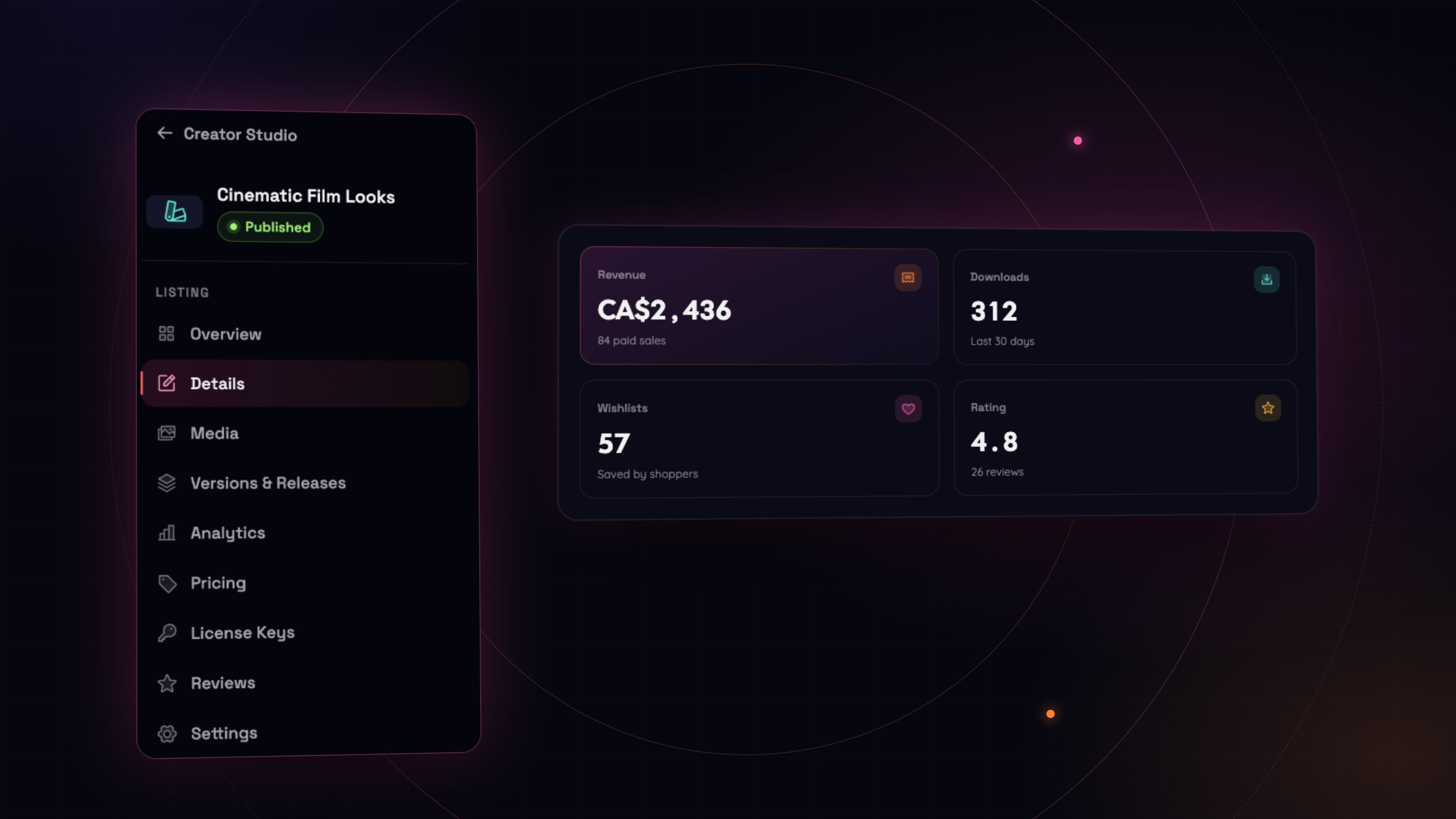
Each listing now has its own set of pages. Open any listing from the Listings page, and the Studio sidebar is replaced with a menu just for that listing. You can jump back at any time with "← Creator Studio".
Overview: your listing at a glance, with revenue, downloads, wishlist saves and rating. It also has a checklist of anything still needed before you can publish, a preview, and quick links.
Details: title, summary, categories, tags and compatibility. Descriptions now use a rich-text editor, so headings, lists and links look the same as they will on your listing page.
Media: your cover image, gallery, promo video and audio previews.
Versions & Releases: upload new versions and builds for each platform, and add release notes. Buyers are emailed when a new version is out (if they've chosen to hear about updates).
Analytics: revenue, orders and downloads by day, plus downloads for each version.
Pricing: your price, compare-at price and Creator Coupon.
License Keys: choose how license keys are delivered, and manage your key stock.
Reviews: every rating and review for this listing, plus private feedback from buyers.
Settings: visibility, your store link, the listing ID, and archiving.