
 Plugin−25%
 1 / 5
Overview
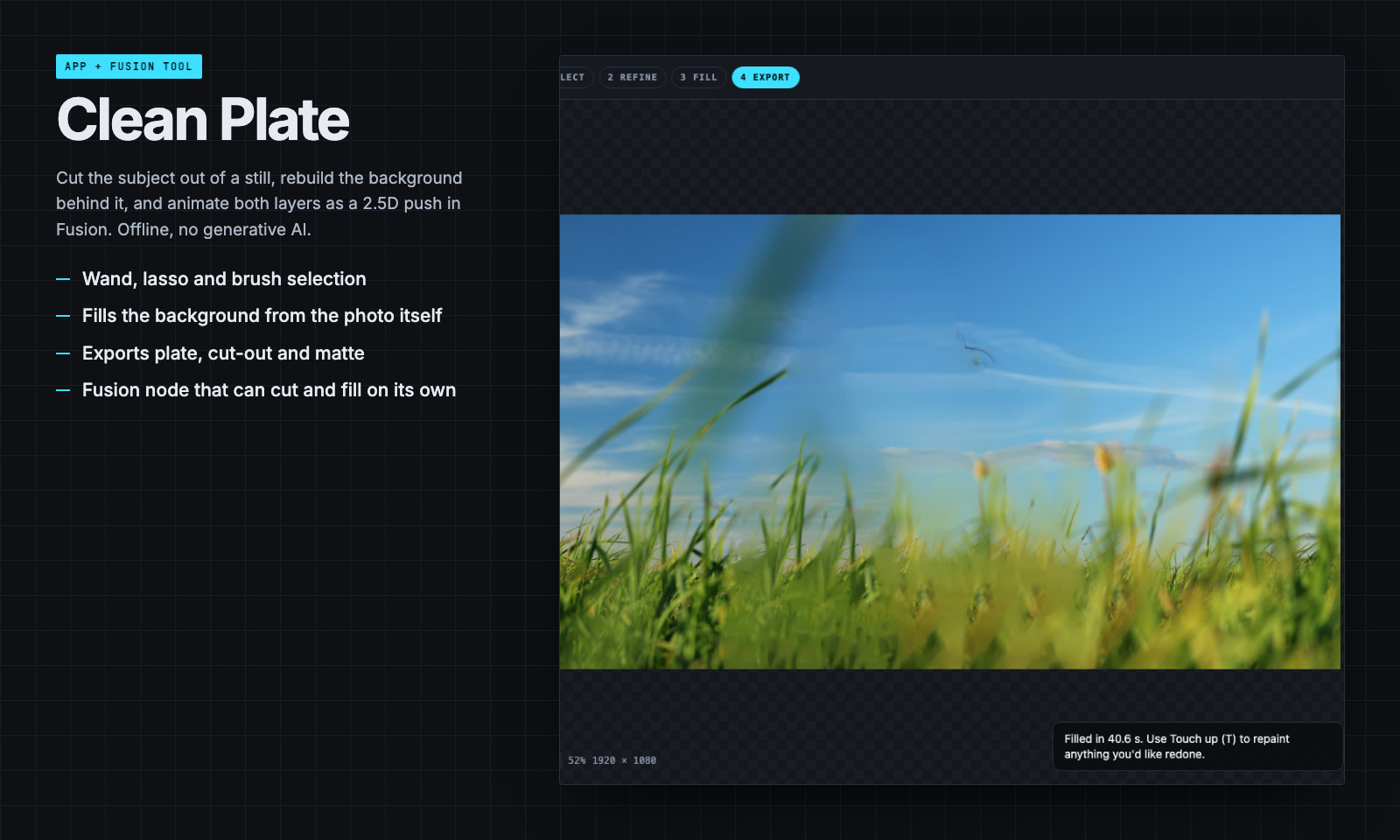
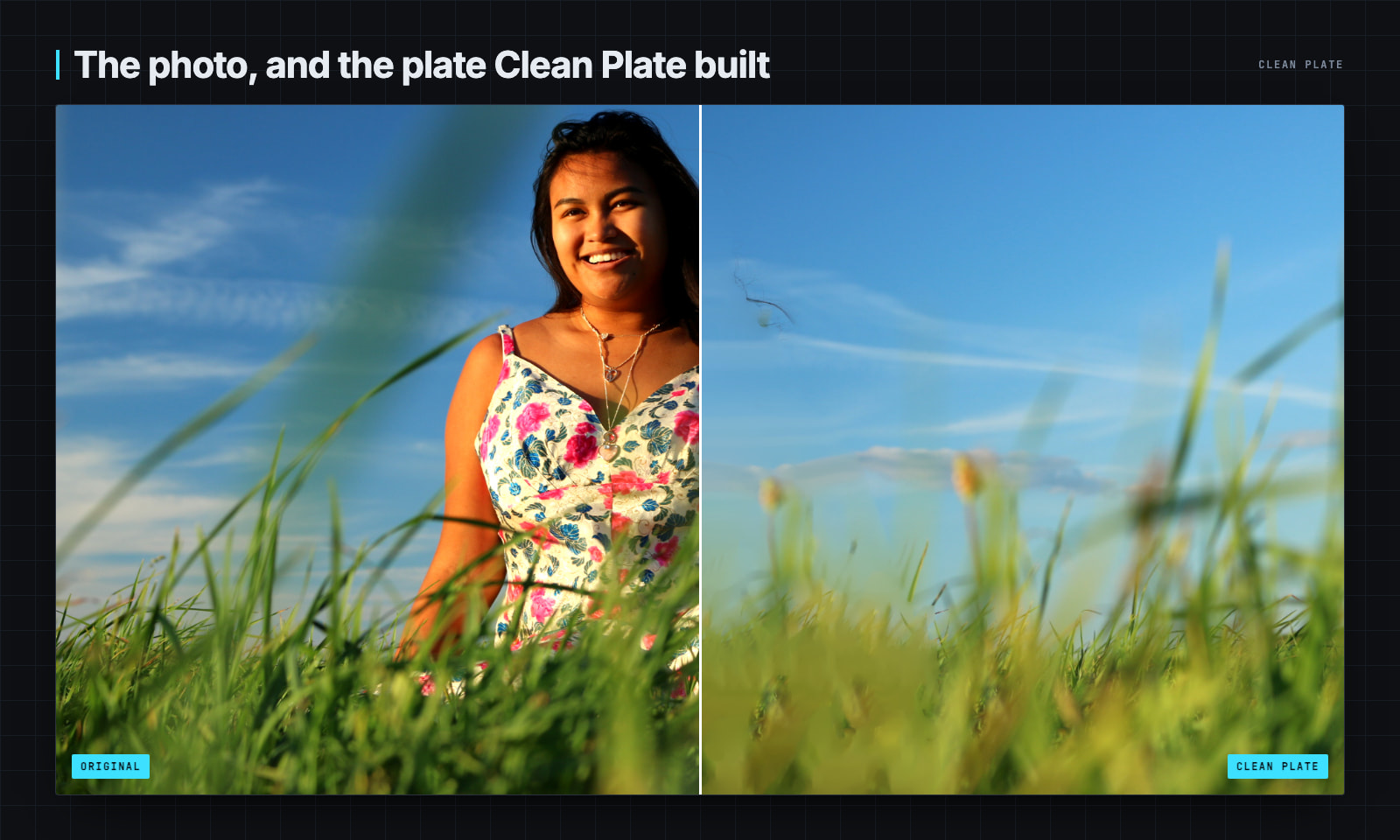
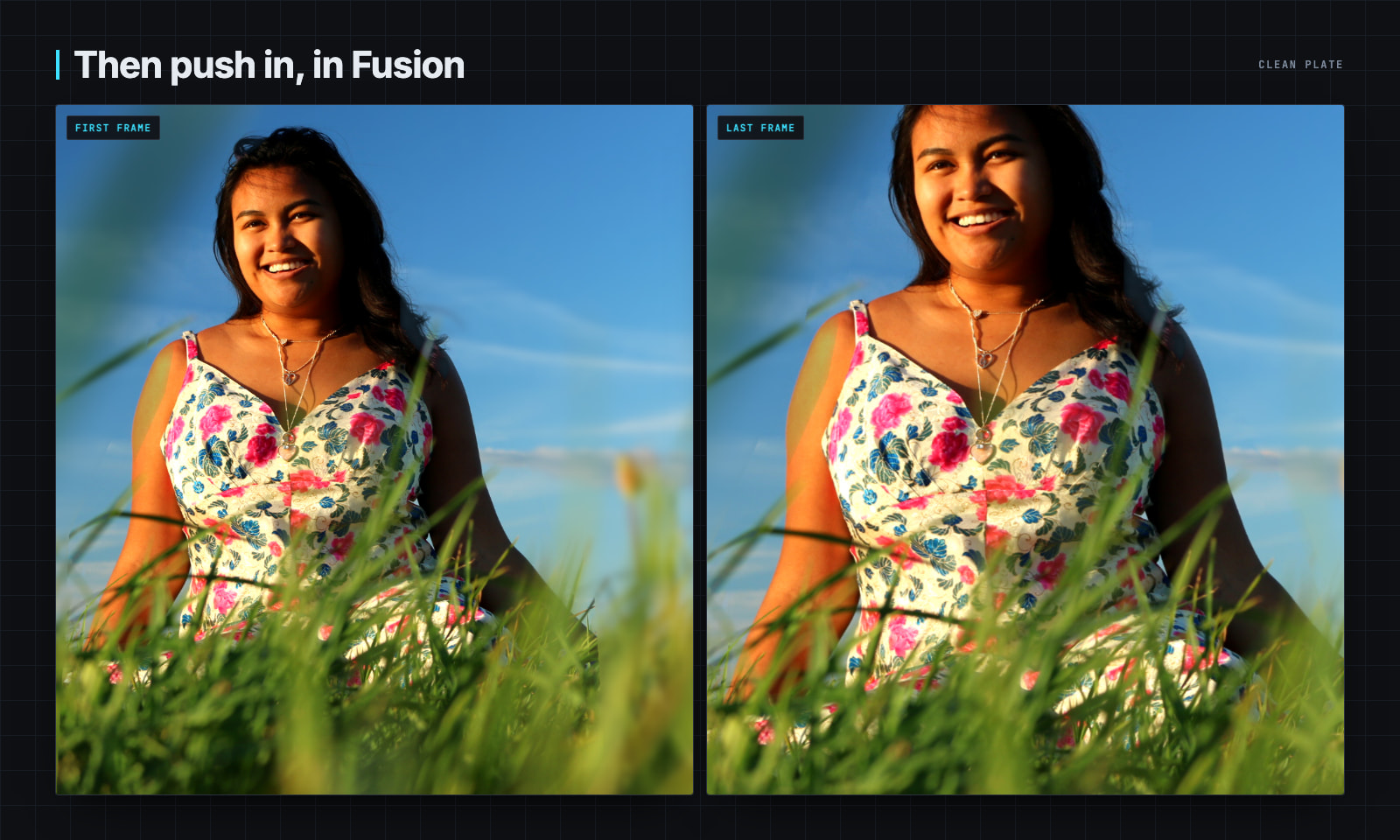
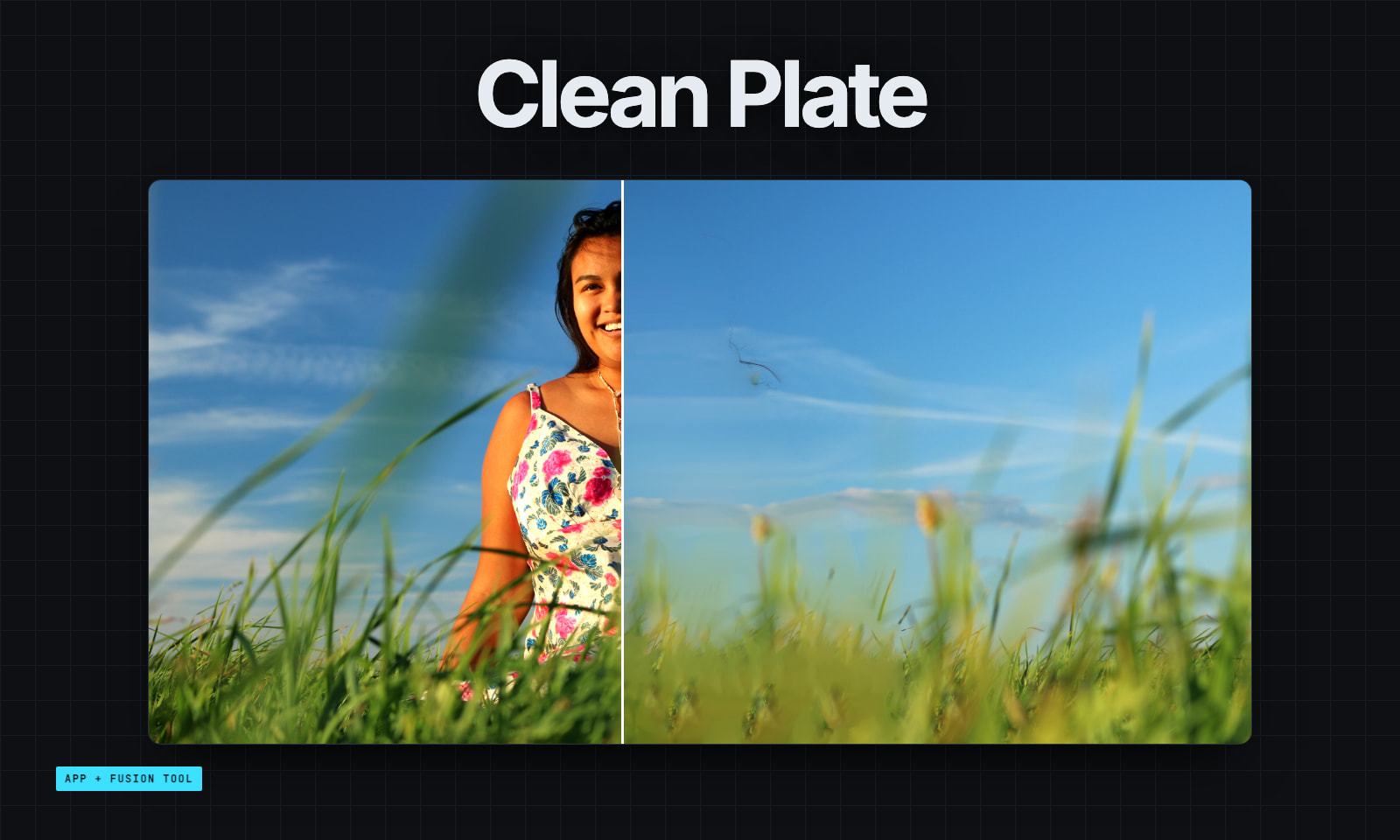
Turn a still photo into a moving shot. Clean Plate cuts the subject out, rebuilds the background behind it, and hands both layers to a Fusion rig that pushes in with real depth.
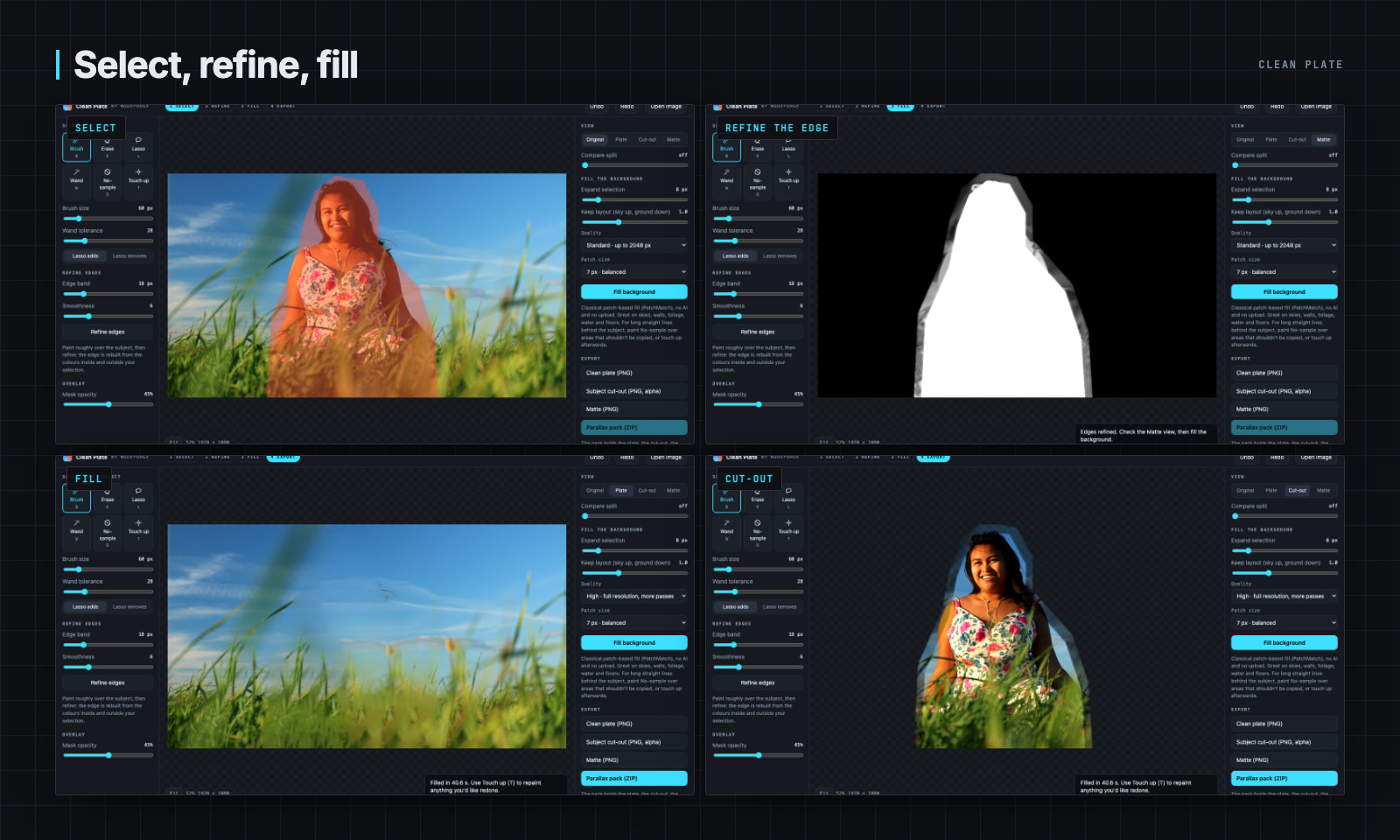
Select the subject Wand, lasso and brush, with Refine edges, Expand selection and full Undo / Redo.
Fill the background Clean Plate rebuilds what was behind the subject from the rest of the photo, patch by patch. Keep layout keeps sky up and ground down. Paint no-sample areas so it won't copy from them, and touch up any spot by hand. Compare before and after with a split view.
Export A clean plate PNG, the subject cut-out with alpha, its matte, or a Parallax pack ZIP with everything.
Clean Plate Parallax (Fusion) Find it on the Fusion page with Shift+Space (type "clean plate") or Add Tool › Macros. It works two ways:
- Make it here: connect your shot and a subject matte (Magic Mask, a Polygon or Rotoscope, or the app's matte). The node cuts the subject out and fills the gap from the surrounding pixels. Matte Expand, Matte Softness and Fill Smoothness tune the cut, and View shows the clean plate, the subject or the matte on its own.
- Use exported layers: connect the clean plate and cut-out from the app for the most detailed fill.
Then set Push, Depth, Drift X/Y, Background Blur and Reverse for a pull-out. The move eases over the length of the clip.
Private by design One HTML file that runs offline in your browser. Your photos never leave your computer, and no generative AI is used: every fill is made from pixels already in your image.
Steps to use
- Add the "Clean Plate Parallax" node in Fusion.
- Create a mask around the subject you'd like to remove (Magic Mask, Rotoscope, Polygon, etc.).
- Connect the mask to the Subject Matte input of the Clean Plate Parallax node.
- Set View to Clean Plate to check the filled-in background.
- If edges show, adjust Matte Expand, Matte Softness and Fill Smoothness.
- Set View back to Final Shot, then set Push and Depth for the parallax move.
- Use Reverse for a pull-out effect instead of a push-in.
Clean Plate browser tool The Clean Plate browser tool is in this plugin's download folder (or re-download the .zip to get it).
- Open "Clean Plate.html" from the folder. The tool opens in your browser.
- Select the subject, refine its edges, then fill the background.
- Click "Parallax pack (ZIP)" to download the clean plate and the subject cut-out, then unzip it.
- Bring clean-plate.png and subject.png into Fusion (with MediaIn or Loader nodes).
- Use the clean plate and subject images as needed, or:
- Connect clean-plate.png to the Clean Plate input and subject.png to the Subject input, and set Clean Plate Source to Use Exported Layers.
- Set Push, Depth, Drift and Background Blur to quickly create a parallax (dolly push) effect.
- Use Reverse for a pull-out effect instead of a push-in.
Enjoy!
More from Nodeforge
Storefront- Plugin−25%
 Preset−25%
Tunnel — Infinite Perspective Tunnels and Zooms
by Nodeforge
 PresetFree
Arrange — Pixel-Exact Grid Layout for Fusion
by Nodeforge
 Preset−50%
You might also like
All Plugins Plugin−25%
Zoom to Audio
by limakpacks
 Plugin
Notewise (Review Notes to Resolve Markers)
by Cutroom Tools
 Plugin
Cover: Thumbnail Studio
by CLICK THEORY
 Plugin
Halide: Film Halation & Bloom
by Halide & Silver