
For creators
Offer a coupon on your listing
Create a percentage code for one listing, and choose whether the cart suggests it to buyers.
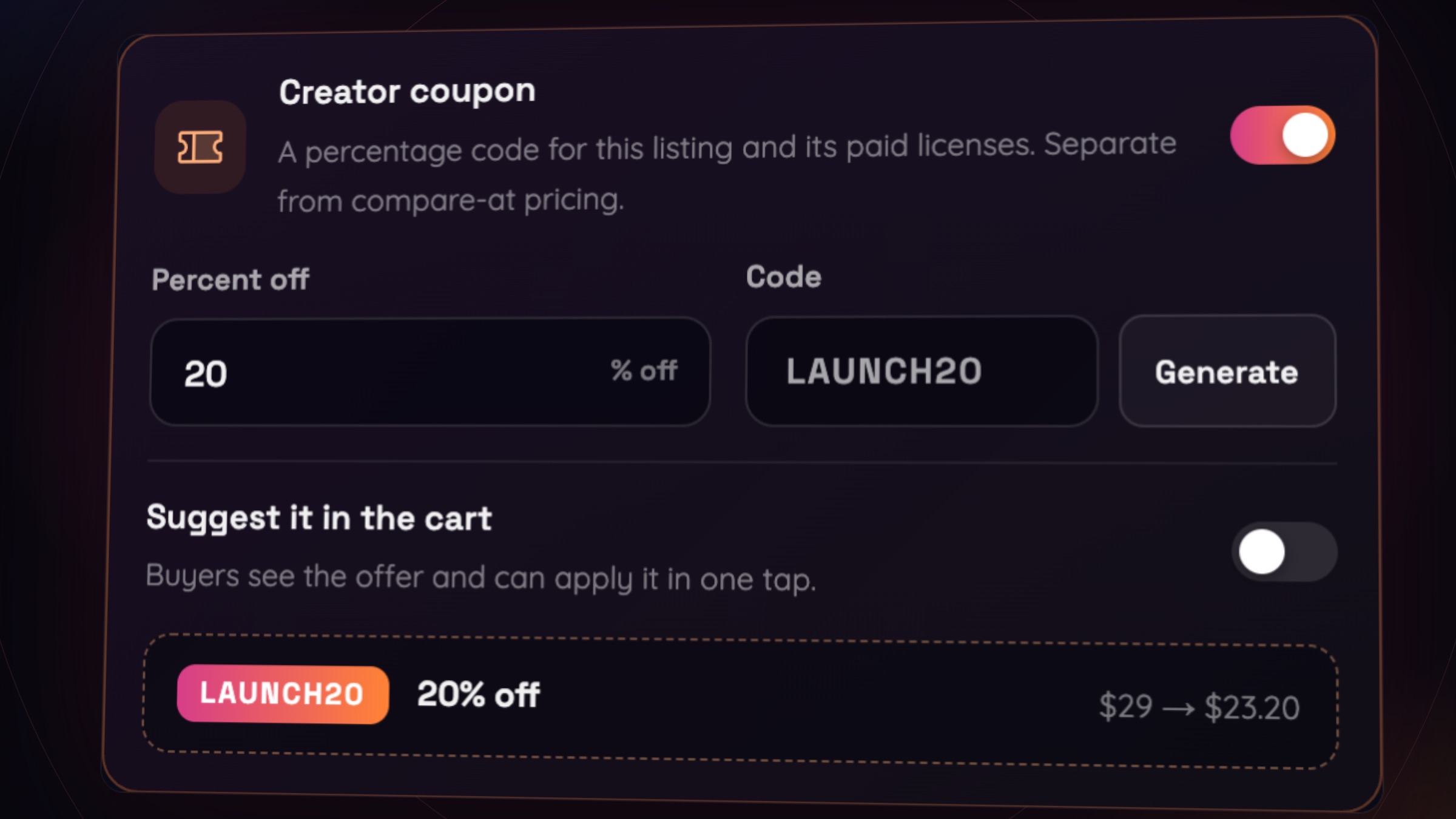
Each listing can have one creator coupon. It's a percentage off that listing and its paid licenses, and it's separate from a compare-at price (the struck-through "was" price).
- Open Pricing
In Studio → Listings, open the listing and choose Pricing.
- Turn on Creator coupon
Set the percent off and type a code, or choose Generate for one.
- Decide whether to suggest it
With Suggest it in the cart on, buyers who add the listing see the offer and can apply it in one tap. Off, only people you share the code with can use it.
- Save
The coupon works as soon as the listing is saved. Turn the switch off to end it.
| Rule | Detail |
|---|---|
| Discount | 1% to 90% off |
| Code | 3 to 24 letters, numbers or dashes; saved in capitals |
| Applies to | This listing and its paid licenses only. It can't be used on other products. |
| Needs | At least one paid price or license. Free listings can't have a coupon. |
| Your share | Your 85% is worked out on the amount the buyer actually paid, after the discount. |
Black Friday coupon
Under Creator coupon, the Black Friday coupon switch adds your listing to the DaVinci Market Black Friday sale, which starts on November 17 at midnight Eastern time. Choose 25%, 50% or 75% off, or type any whole number from 25 to 75. It starts at 25%.
| Rule | Detail |
|---|---|
| Discount | 25% to 75% off this listing and every paid license |
| Buyers | No code needed. The sale price shows in green on your listing, product cards, the cart and the Black Friday page, and checkout charges it. |
| Coupons | A Black Friday price can't be combined with your creator coupon at checkout. |
| Dates | The discount only applies while the sale runs. Turn the switch off at any time to go back to your regular price. |
| Your share | Your 85% is worked out on the sale price the buyer paid. |