
Account
Choose which emails you get
Turn each kind of email on or off, pick which products send update emails, and see which emails are always sent.
On this page
Open Account → Settings → Email preferences and turn each kind of email on or off.
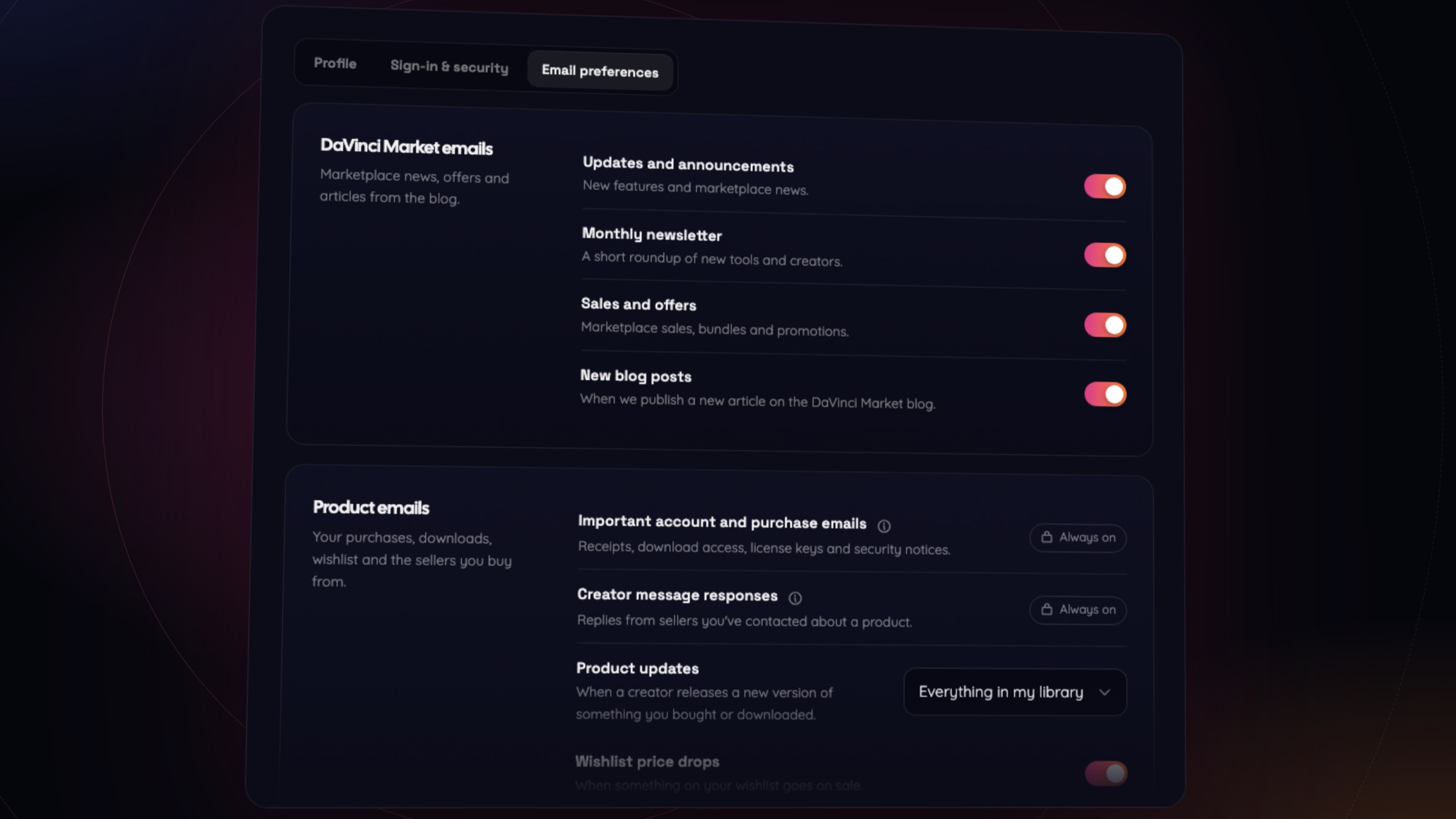
What each group covers
| What it's for | |
|---|---|
| DaVinci Market emails | |
| Updates and announcements | New features and marketplace news. |
| Monthly newsletter | A short roundup of new tools and creators. |
| Sales and offers | Marketplace sales, bundles and promotions. |
| New blog posts | When we publish a new article on the blog. |
| Product emails | |
| Product updates | When a creator releases a new version of something you bought or downloaded. |
| Wishlist price drops | When something on your wishlist goes on sale. |
| New seller listings | When a seller you've bought or downloaded from publishes a new product. |
| Review reminders | A week after you get a product, a reminder to rate it. |
| Download confirmations | When a download link is opened from your account. |
Emails that are always sent
A few emails can't be switched off, because they deliver something you asked for or keep your account safe:
- Important account and purchase emails: receipts, download access, license keys and security notices.
- Creator message responses: a seller's reply to a question you sent them.
- For creators, Messages from your buyers and License key alerts (a buyer is waiting for a key, or your key stock is low).
Fine-tune product updates
With Product updates on, choose which products can email you about a new version:
- Everything in my library
- Default
- Free downloads only
- Option
- Purchases only
- Option
- Selected products
- Pick from your library
For creators
Creator Studio emails tell you about activity on what you sell: Product purchases, Wishlist saves, Creator opportunities and Product downloads. Product purchases has a dropdown: All products, Paid products only, or None to stop them.
Questions
How do I unsubscribe from a marketing email?
Every marketing email ends with Manage your email preferences. That link opens a page that works without signing in. Choose Unsubscribe from that kind of email, or choose Or manage all marketing emails to turn each one off individually.
You'll still get receipts, download access and the other emails that are always sent.
Why did I get a review reminder for several products in one email?
Products you download on the same day are grouped into one email, so you receive one review reminder instead of several individual emails. To stop receiving Review reminder emails, toggle off Review reminders in your account email preferences.
I changed a switch but still got that email.
It may take a few minutes for your new preferences to save; if an email was already sent during that period, you may receive it, but will not receive future emails relating to subjects you opt out of. No further changes need to be made.